If you run a shop in Pakistan and ask three vendors what a point of sale costs, you will get three answers that cannot be compared: one quotes a monthly fee, one quotes a one-time licence, and one says "it depends" and asks for your phone number. This guide explains what you are actually paying for, so you can compare offers properly.
The three ways POS software is sold
1. Monthly plans (cloud). You pay every month, the vendor hosts the system, and you open it in a browser on any computer at the counter. Backups and updates are the vendor's job. If you stop paying, you need to know what happens to your data before you sign up, not after.
2. One-time licence (installed). You pay once and the software is installed on your own computer or server. Usually there is a yearly fee for support and updates. You are responsible for backups, and if that computer dies, your sales history goes with it unless someone has been copying it somewhere else.
3. "Free" or cracked software. Tempting, and the most expensive option in practice. Nobody answers the phone when the stock report stops adding up, and nobody is responsible for your data.
What actually changes the price
Most vendors price on size, not features. The things that move the number are:
- Branches. One shop, or several, each with its own stock.
- Tills. How many counters can sell at the same time.
- Staff accounts. Everyone who logs in, from cashiers to the owner.
- Hosting and backups. Included in a monthly plan; your job with a licence.
- Support. Who you call at 9 pm on a Saturday when the receipt printer stops.
The costs nobody mentions up front
- Hardware. A receipt printer, barcode scanner and cash drawer for each till. Budget for these separately and ask whether the software works with the hardware you already have.
- Setting up your products. Entering hundreds of items with prices and barcodes by hand takes days. Ask whether the vendor will import them from a spreadsheet.
- Training. One session for your cashiers saves weeks of mistakes.
- Getting your data out. If you leave, can you export your sales and stock, or is it locked in?
A real example: Tilly POS pricing
We make Tilly POS, so here are our prices written down, as a reference point. Every plan has every feature; only the size changes.
| Plan | Monthly | Branches | Tills | Staff accounts |
|---|---|---|---|---|
| Starter | PKR 2,999 | 1 | Up to 2 | Up to 5 |
| Growth | PKR 7,999 | Up to 3 | Up to 10 | Up to 25 |
| Business | PKR 19,999 | Unlimited | Unlimited | Unlimited |
Or own it outright: PKR 150,000 once, installed on your own computer or server, then PKR 30,000 a year for support and updates. Monthly plans are hosted by us with daily backups and a 14-day free trial, and if a payment is missed the system becomes read-only: you can still open and export everything. Full details are on the pricing page.
Eight questions to ask any POS vendor
- Is the price per month, per year, or once? What is included in each?
- How many branches, tills and staff accounts does that price cover?
- Where is my data kept, and how often is it backed up?
- If I stop paying, what happens to my data, and can I export it?
- Can two tills sell the last unit of the same item at the same moment? What happens then?
- If the internet drops halfway through a sale, can the customer be charged twice?
- Will you import my product list from Excel?
- Who do I call when something goes wrong, and when do they answer?
Questions 5 and 6 sound technical, but they are exactly where cheap systems lose money quietly. We wrote about how Tilly POS handles them in Three bugs a point of sale can't afford.
The short answer
For a single shop, expect a monthly plan in the low thousands of rupees, or a one-time licence in the six figures plus a yearly support fee. Whichever you choose, compare offers on the same terms: branches, tills, staff, backups, support and what happens to your data.
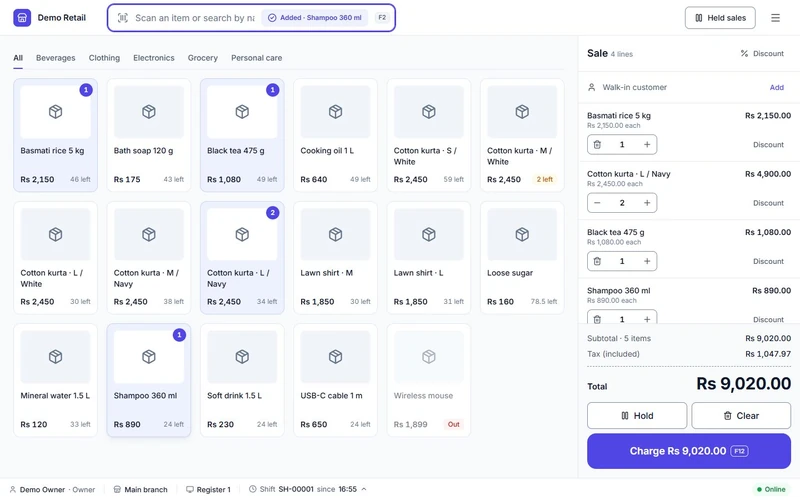
If you want to see what a modern POS looks like before talking to anyone, open the Tilly POS demo. No sign-up, no form.